Chapter 185 min read
Network proxies
Send CCHP's outbound requests through HTTP, HTTPS, SOCKS5, or SOCKS5h proxies — set the global proxy, give providers or provider keys their own proxy group, and learn what the gateway does when a proxy is unavailable.
CCHP’s outbound connections can go through HTTP, HTTPS, SOCKS5, or SOCKS5h proxies. You can set proxies in three places: globally, on a provider, and on a provider key. Provider and provider key proxies carry only that provider’s outbound requests; the global proxy carries all other outbound connections and is also the default route for providers without a proxy.
Proxies and proxy groups#
A proxy consists of a protocol, a host, a port, and an optional user name and password. The four protocols differ as follows:
- Passwords are stored encrypted and are never shown again in the console or the API; the list only marks Password set.
- Skip certificate verification can be turned on only for HTTPS proxies, and skips only the proxy server’s own certificate check; TLS to the upstream through the tunnel is still verified.
Each place holds one proxy group: 1 to 16 ordered proxies plus a Selection mode:
- In order: use the first available proxy, and move to the next one when it is unavailable.
- Random: pick an available proxy at random for each request.
Which proxy a request goes through#
An outbound connection picks its route in the order key’s proxy group > provider’s proxy group > global proxy > direct: a key with its own proxy group uses only that; without one, the provider’s proxy group is used; when neither exists, the global proxy is used; and without a global proxy, the connection goes direct.
The global proxy settings have a switch, Reach provider proxies through the global proxy, which is off by default. When it is on, the gateway goes through the global proxy first and then connects to the provider and key proxy servers.
An outbound connection picks its proxy in the order key, provider, global CCHP
CCHP
Set the global proxy#
Only a platform super admin can set the global proxy, and only in the global scope.
Open Outbound Proxy#
Go to Administration → System Management → Routing, and click the Outbound Proxy tab.
Add proxies#
Click Add proxy. In the dialog, choose the Protocol, enter the Host and Port, fill in Name, Username, and Password as needed, and click Save. Repeat this step for more proxies, then choose the Selection mode.
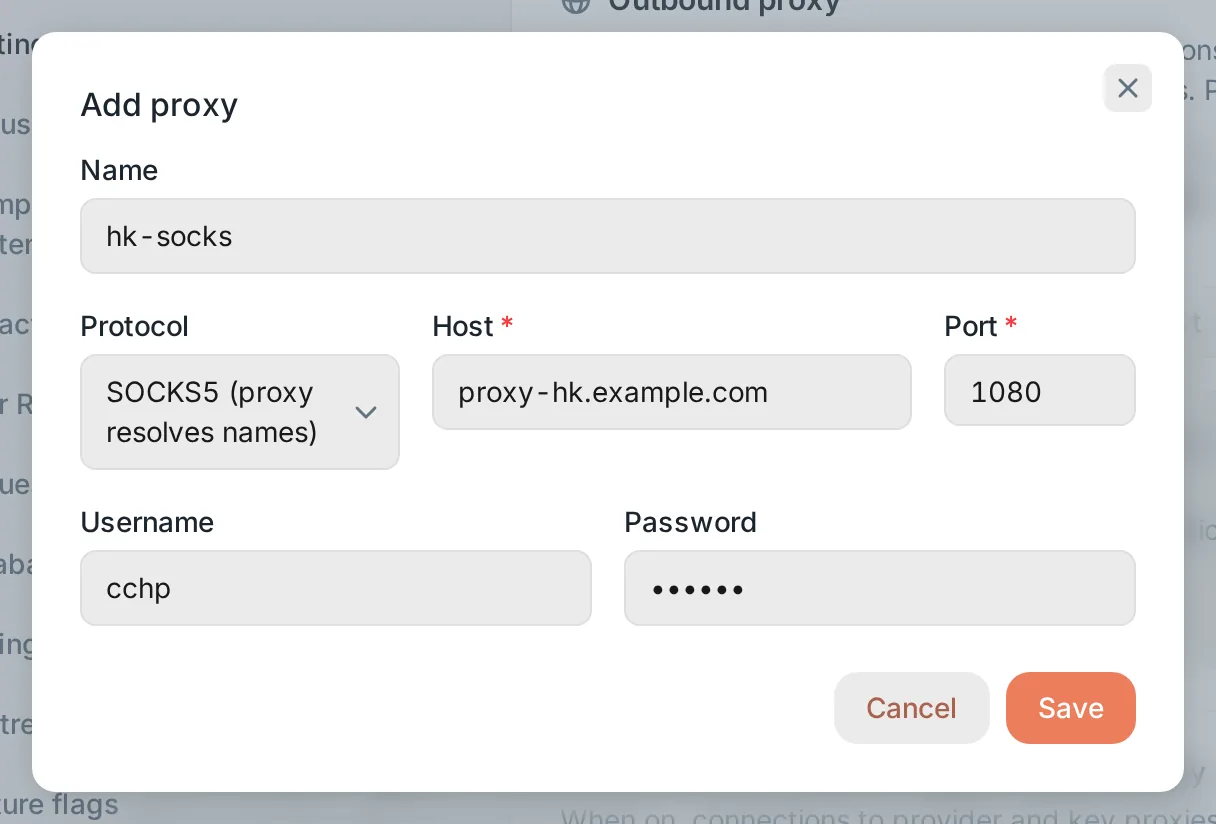 Add proxy: protocol, host, port, user name, and passwordCCHP
Save#
Click Save at the bottom of the page, then click Confirm in Confirm submit.
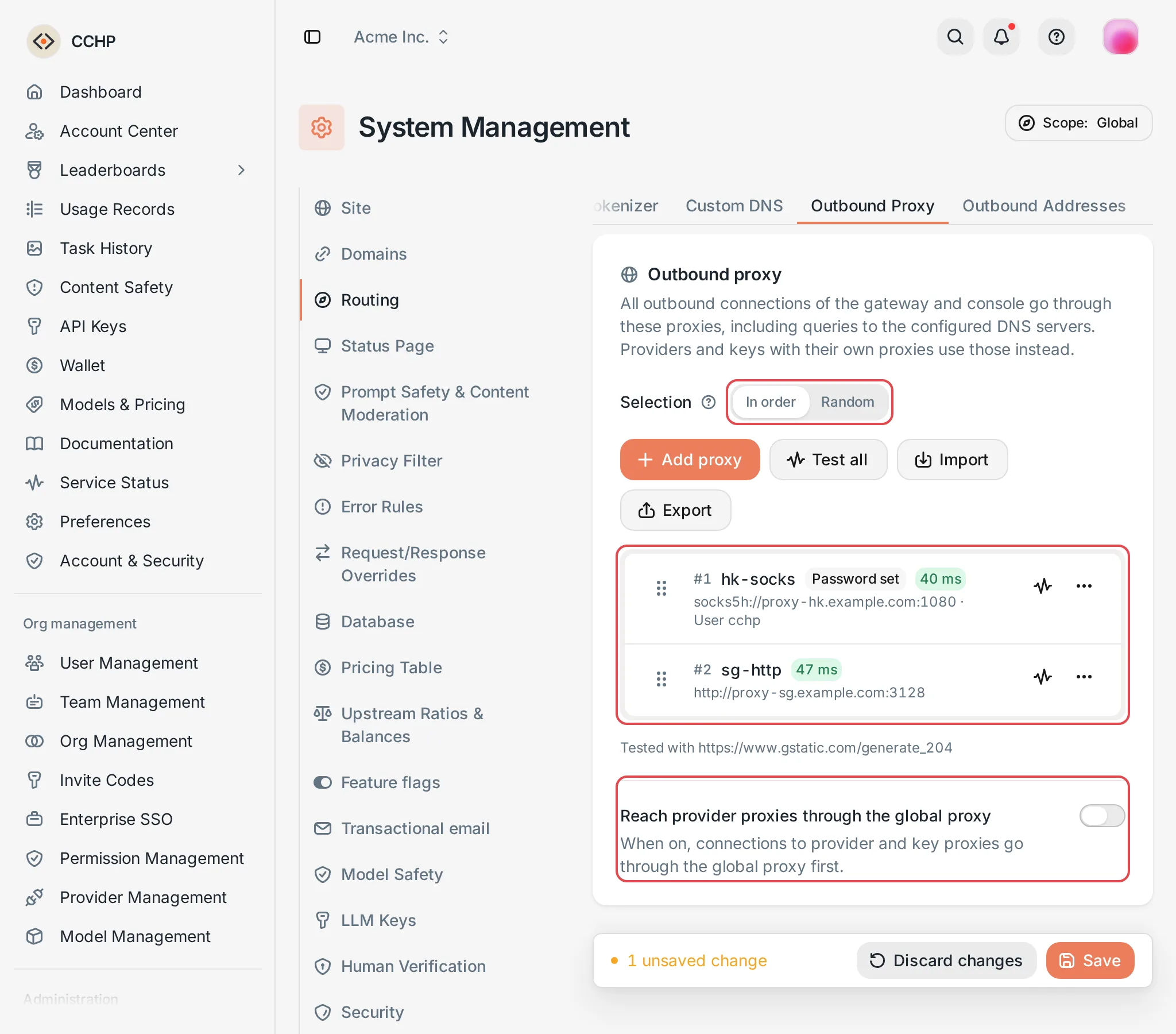 Outbound Proxy: two proxies with the In order selectionCCHP
Besides providers without a proxy, the global proxy also carries the other outbound connections of the gateway and the console: notifications, email, third-party sign-in, CAPTCHA, payments, object storage and request archives, OpenTelemetry export, price list and CC Hub remote imports, version checks, web search, and queries to the DNS servers configured in the console.
- Connections to PostgreSQL, Dragonfly, and between nodes don’t go through proxies.
- The gateway doesn’t read the
HTTP_PROXY,HTTPS_PROXY, orNO_PROXYenvironment variables; outbound proxies are set only here. - DNS over QUIC can’t travel through a proxy: while DNS over QUIC servers are set, the global proxy can’t be saved, and while a global proxy is set, DNS over QUIC servers can’t be saved.
Set proxies for a provider or a provider key#
This needs organization admin or platform super admin permission.
- Provider: on the provider details page, click Network proxy in the section navigation on the left.
- Provider key: in the Edit provider key dialog, click Network proxy on the left. It isn’t available while you create a key; save the key first, then open the edit dialog.
Both work the same way as the global proxy, and changes save right away, without clicking Save at the bottom of the page.
A provider’s or key’s proxy group carries all of that provider’s outbound requests: request forwarding (including Responses WebSocket and realtime sessions), async task queries and result downloads, health checks, balance and ratio reads, model sync, endpoint probes, and icon fetching.
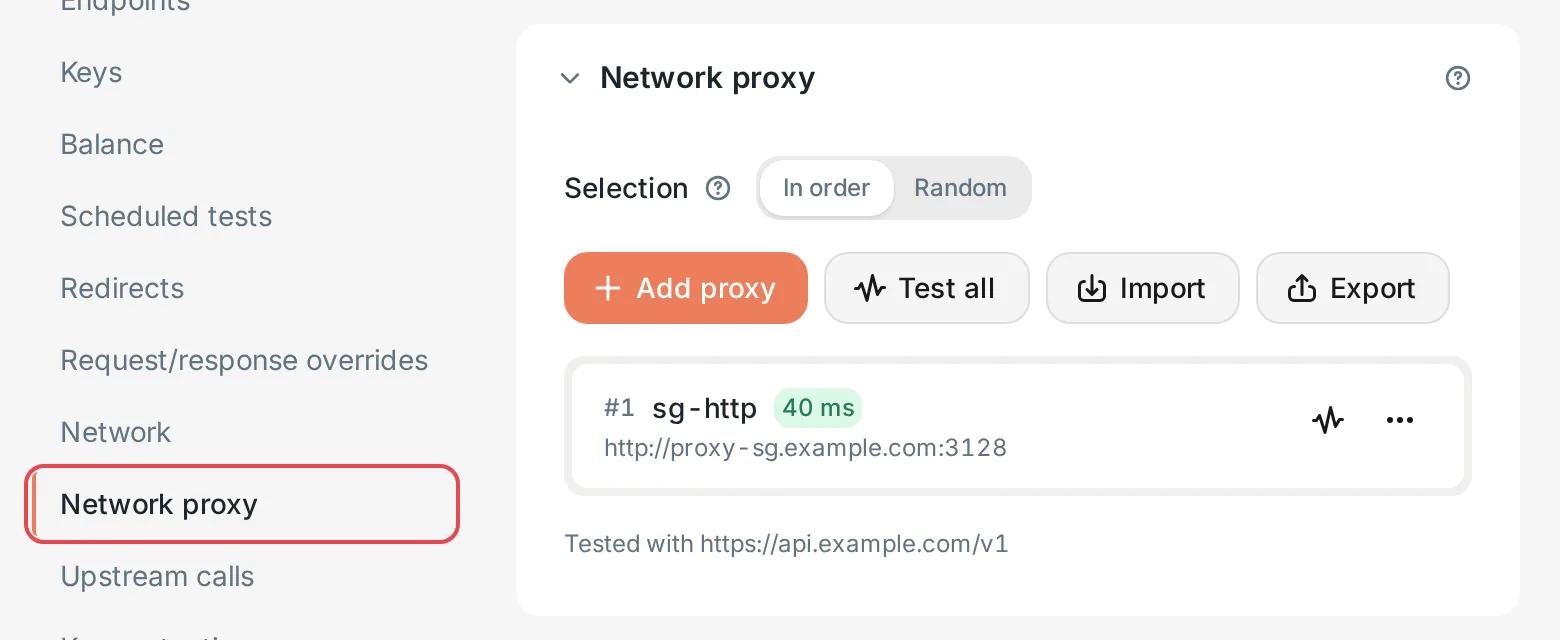 Provider details: the Network proxy section with test resultsCCHP
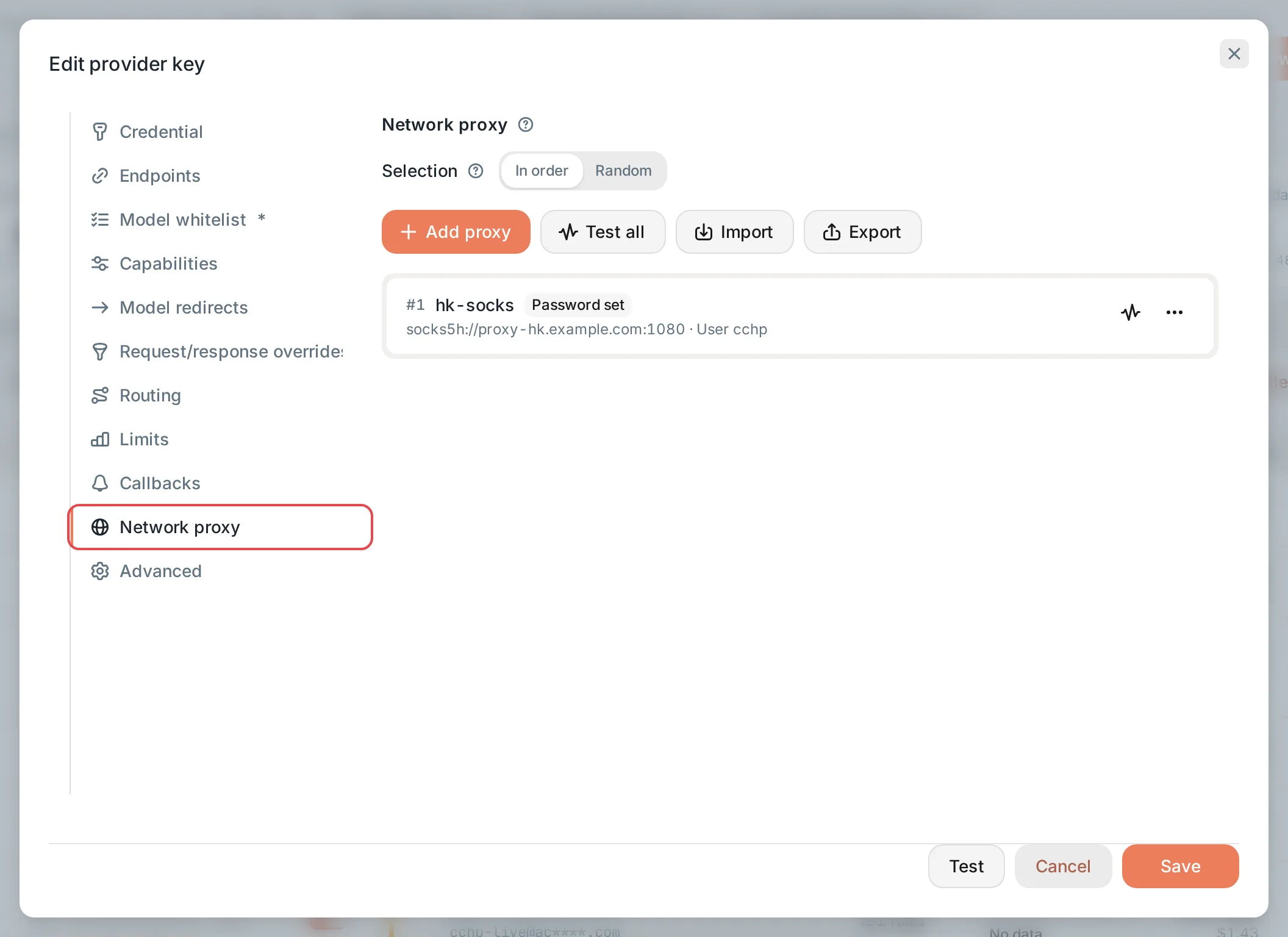 Edit provider key: the Network proxy sectionCCHP
When a proxy is unavailable#
- When the proxy can’t be reached, TLS with an HTTPS proxy fails, the proxy rejects authentication, or its reply breaks the protocol, that proxy rests for 10 seconds; consecutive failures double the rest each time, up to 5 minutes. The next connection moves to the next proxy, and one success restores it.
- When every proxy in the group fails, the attempt fails and the gateway moves to the next candidate; see What the gateway does after a request fails. The gateway never bypasses the proxies to connect directly.
- When the proxy refuses to connect to the upstream, or the outbound address restriction rejects the upstream, it doesn’t count as a proxy failure, and the proxy doesn’t rest.
Test, import, and export#
- Test: click the test button on a proxy’s row, or click Test all. Provider and key proxies are tested against the provider’s first enabled endpoint, and the result shows the time taken or the stage that failed. You can also test changes that aren’t saved yet. Each person can test up to 10 times per minute.
- Copy: in a proxy row’s menu, click Copy to copy that proxy to the clipboard in the export format (without the password), so you can paste it into another provider’s or key’s proxy list.
- Export: select proxies and click Export, then Copy or Download the text in
cchp.network-proxies/v1format. Exports don’t include passwords. - Import: click Import, paste exported text or one proxy URL per line (for example
socks5h://user:pass@proxy.example.com:1080), or choose a file; in Import position, choose Add to the end or Replace all. Pasting directly onto the proxy list opens the import too.
Frequently asked questions#
Saving the global proxy reports a conflict with DNS over QUIC#
System Management → Routing → Custom DNS has DNS over QUIC servers. DNS over QUIC can’t travel through a proxy, so switch those servers to another protocol or remove them before you save the global proxy.
Requests through a proxy are still rejected by the outbound address restriction#
The outbound address restriction also applies to upstreams reached through a proxy. When the upstream is on an internal network, a platform super admin allows it in Outbound Addresses; see An upstream on an internal network fails to connect. The proxy server itself can be on an internal address.