Chapter 144 min read
Providers and provider groups
Learn how providers, endpoints, provider keys, and provider groups relate to each other, and how a user's request reaches the upstream through a provider group.
CCHP connects to upstream LLM services through four kinds of objects: providers, endpoints, provider keys, and provider groups. Users deal only with provider groups: when users create an LLM key, they can select only provider groups, not providers or provider keys directly. When a request reaches the gateway, the gateway picks a provider key in the group and sends the request to the upstream through that key’s endpoint.
All four kinds of objects belong to the current organization, and you configure them in Org management → Provider Management. Organization admins have management permission by default. Regular members can’t see this page.
The path of a request: LLM key, provider group, provider key, endpoint, upstream CCHP
CCHP
The four objects#
The Provider Management page has four tabs. Keys lists all provider keys in the organization, and Providers and Provider groups list the providers and the groups. Search providers configures the search services that the gateway calls when it runs a web search. They are not LLM providers, and this chapter doesn’t cover them.
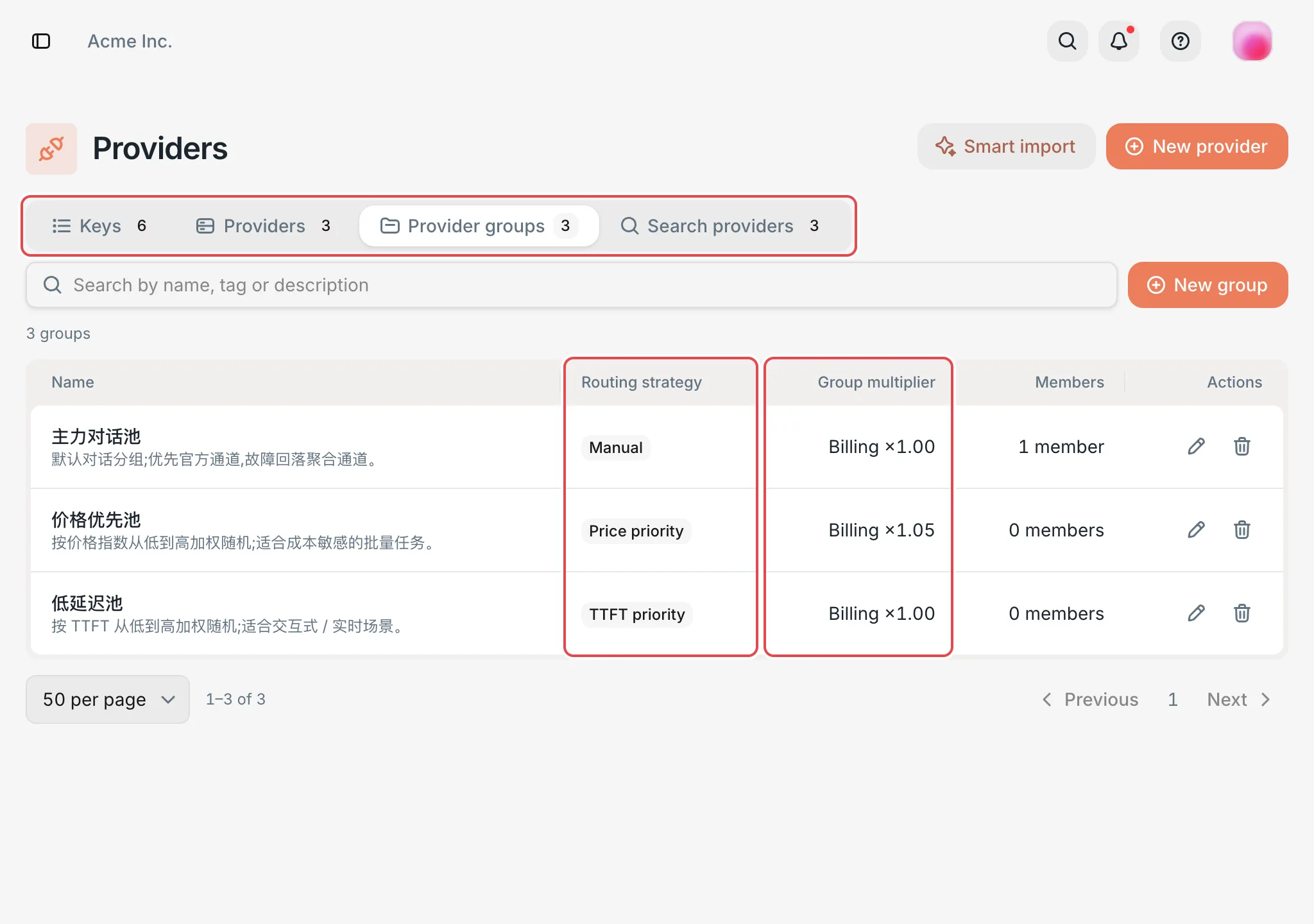 Provider Management: the four tabs and the group listCCHP
On the Providers tab, click a provider name to open the provider details page. You configure both endpoints and provider keys on the details page.
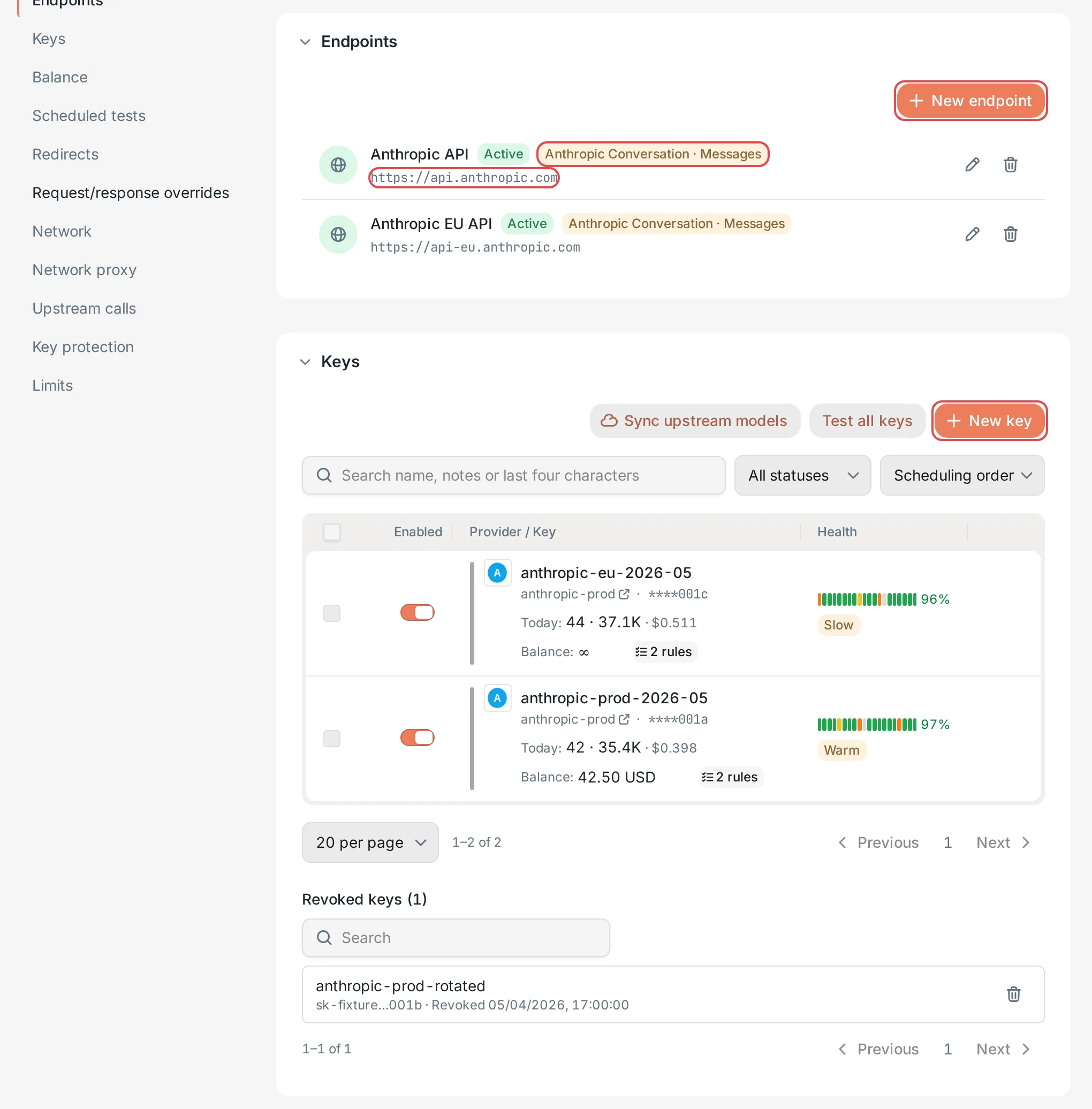 Provider details: endpoints and keysCCHP
The Group multiplier counts toward the user’s bill. The provider’s Top-up ratio and the provider key’s Cost multiplier are used only for routing and cost tracking, and don’t count toward the user’s bill.
How a request picks a provider key#
- The user’s LLM key determines which groups can be used and the order in which they are tried. When the routing strategy is Pinned groups, the groups are tried in the order the user set. When it is Price intent, the groups whose billing multiplier falls within the Acceptable multiplier range are used, from the lowest billing multiplier to the highest. Groups that the organization or team has disabled are never used.
- Within the current group, the gateway picks a provider key by the group’s Routing strategy. Manual picks by each key’s own Priority and Weight. Price priority (the default for new groups), TTFT priority, and Success rate priority pick by each key’s live statistics and don’t use priority or weight.
- A provider key can be picked only when it meets all of these conditions: both the provider and the key are enabled, its Model whitelist includes the requested model and the current group also allows this model (when a model redirect is set on the organization, team, user, LLM key, or provider group, this check uses the model after the redirect; see Where model redirects take effect), it has at least one available endpoint, and it is not paused after upstream errors (for example, the key was rejected or rate-limited).
- The gateway sends the request to the upstream through the endpoint of the picked key. If the request fails at the upstream, the gateway can switch to another key in the same group. It tries the next group only when all keys in the current group have failed or are unavailable. See Group routing strategies.
When you create an LLM key in the console, its routing strategy must cover at least one group. A provider key must therefore join at least one group before users’ requests can use it.
Configure providers#
Configure them in this order: create a provider, add endpoints and provider keys to it, and then create a provider group and add the keys to the group.